Screens are from the current Nina App build; your view may differ by account state and version
Hundreds of market headlines land every day. You can't read them all, most don't explain themselves, and by the time you understand one the move is over. Nina is your AI investing assistant: every day it collects what actually changed across prediction markets, US equities and crypto, explains it in plain language, and can deploy a sentry to watch a position around the clock.
This guide walks one full loop using a US stock as the example. Download Nina first and tap along as you read — your first run takes about five minutes.
▶ Download Nina (iOS / Android)
Over 3,000 people already use Nina. Explore, analysis and sentries all work without depositing anything first.
Why use Nina
- Stop hunting for information. Opportunities across three markets are ranked by activity and volume on the home screen.
- Understand it, don't just see it. Every item comes with a plain-language read: what it's based on, and what's still uncertain.
- Know the cost before you act. Prediction-market break-even odds already include fees, so you know whether a trade clears its own costs.
- Stop watching the screen. Deploy a sentry and get told when price, odds or news actually change.
One route, five steps
Find an opportunity → read the analysis → check the instrument and its cost → trade or just track → come back when you're notified
Before you start: the five tabs at the bottom
- Explore: find markets and instruments.
- Ask Nina: ask anything in plain language.
- Trade: perps, stocks or swap.
- Assets: balances and positions.
- Sentry: what you're tracking, and alerts.
Explore, analysis and Sentry need no deposit — download, sign in, and they work. When you're ready to trade, follow the in-app steps to activate your account.
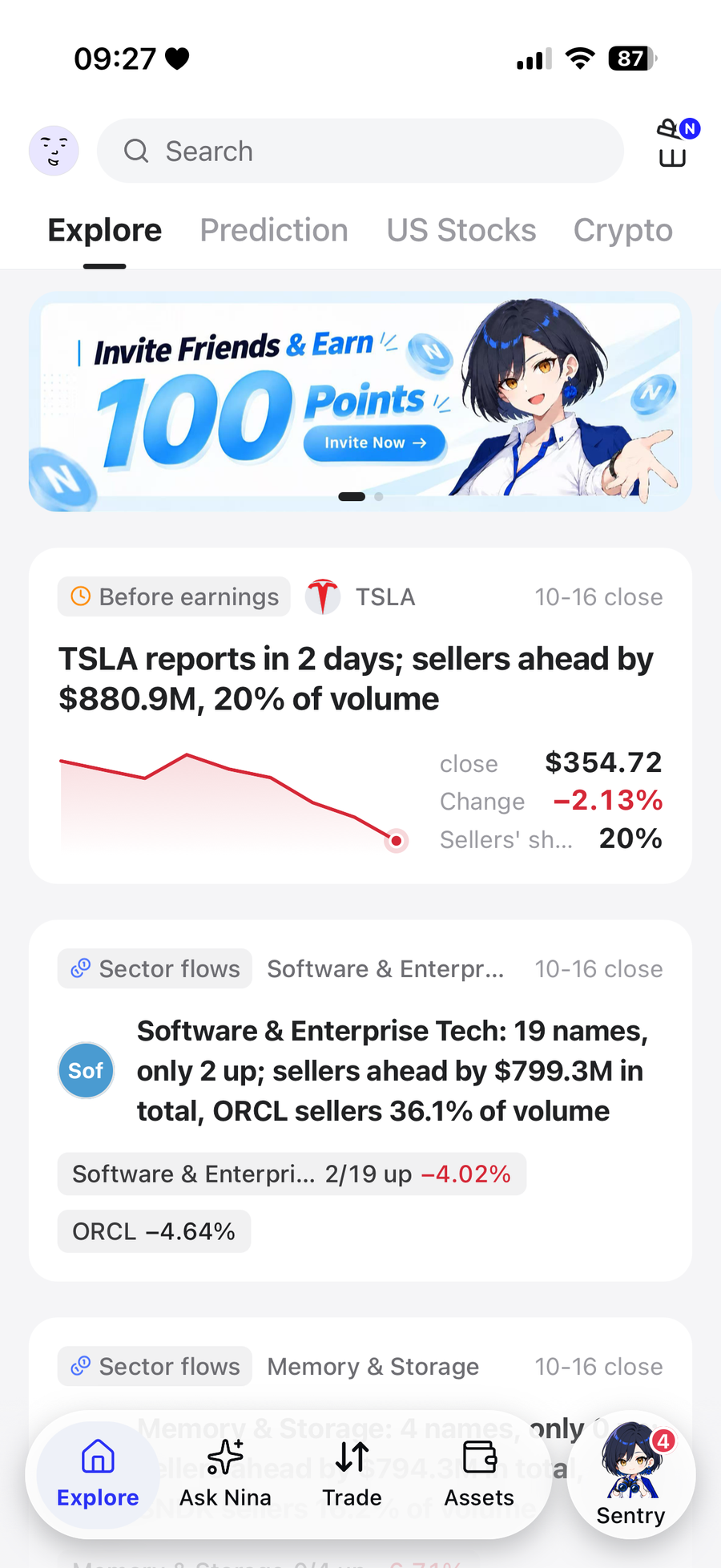
The Explore home screen and the five tabs along the bottom
Step 1 — Open the app; the opportunities are already sorted
Path: bottom Explore → pick the Explore, Prediction, US Stocks or Crypto tab.
Each card tells you why this one is worth a look: a large price move, concentrated volume, a shift in event probability, or related news. Pick one you're curious about.
- Prediction: the event question, option probabilities and volume.
- US Stocks: market state and today's movers, then tap into a single name.
- Crypto: market sentiment, fund flows and Nina signals.
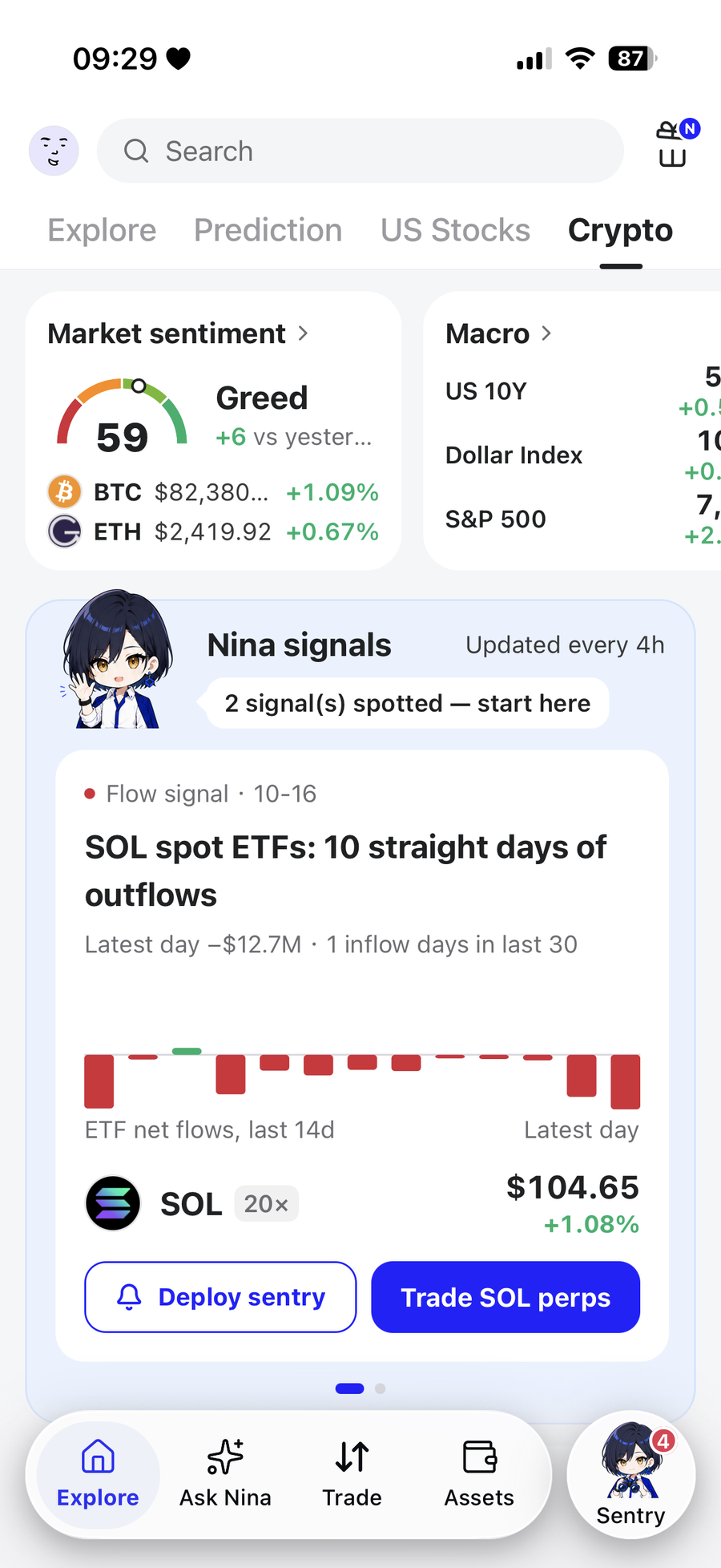
Crypto tab: market sentiment, fund flows and Nina signals
Try it: switch to US Stocks, pick a name from today's movers, and open its page.
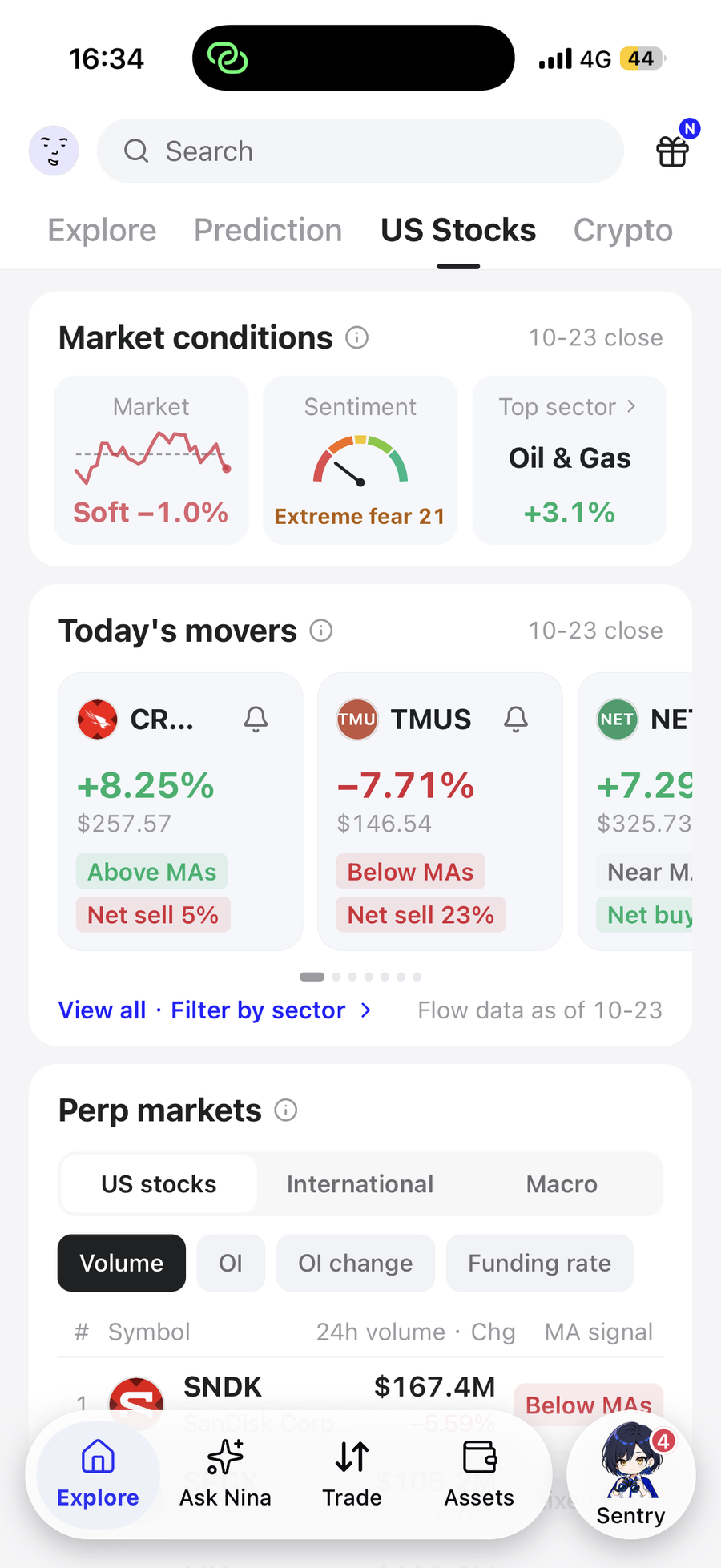
US Stocks tab: market state and today's movers
Step 2 — Three questions that let you read a stock
- What happened? Start with Nina's combined read.
- What is that based on? Check the data date, and the prices, flows, fundamentals or events it cites.
- What is still unknown? Nina marks "cannot determine" and thin-data areas outright rather than inventing an answer.
US equity analysis runs a check across six dimensions — fundamentals, valuation, industry position, technicals, holdings and flows, and events — alongside support, resistance and moving averages on the chart, plus a 30-day scenario outlook that sets out what to watch next.
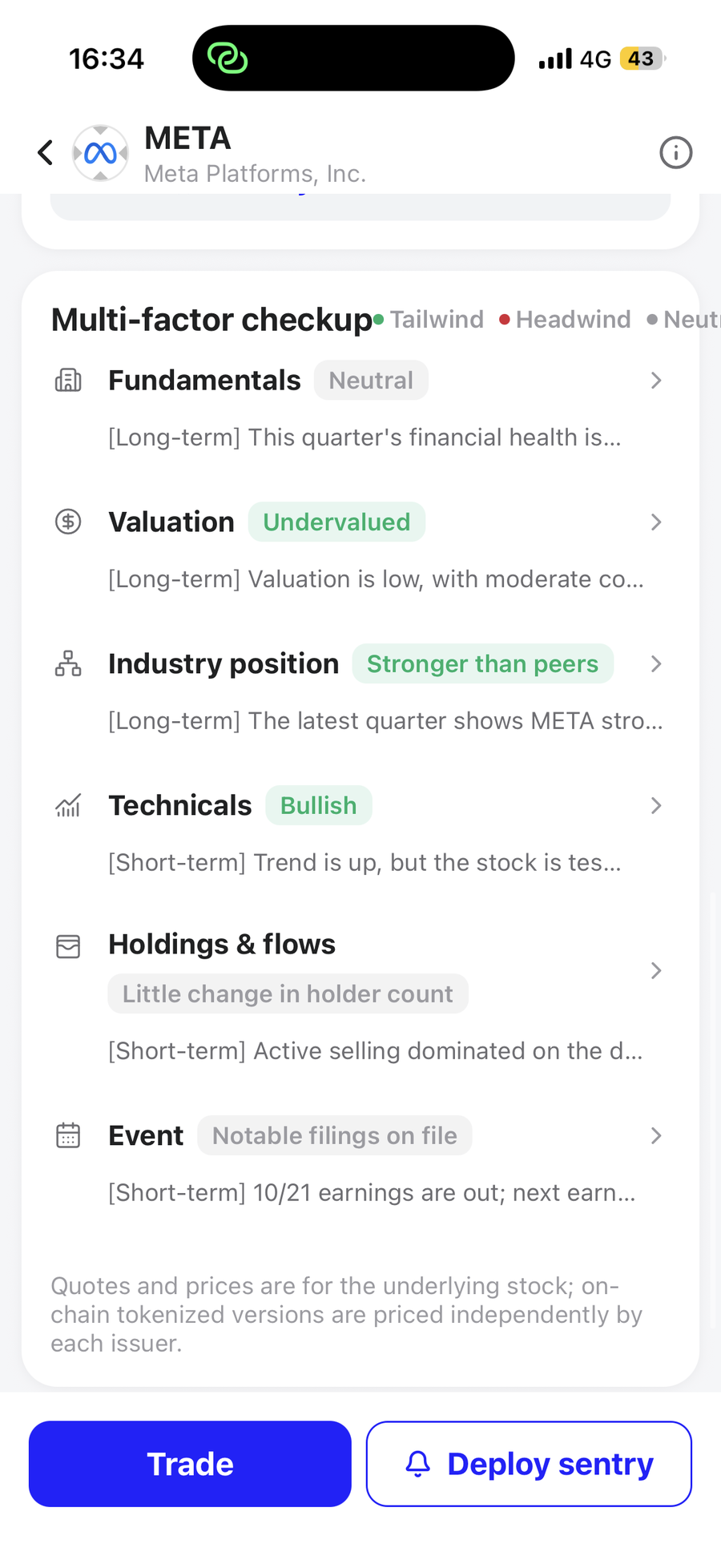
Stock page: the six-dimension check (fundamentals, valuation, industry position, technical signals, institutional holdings and flows, events)
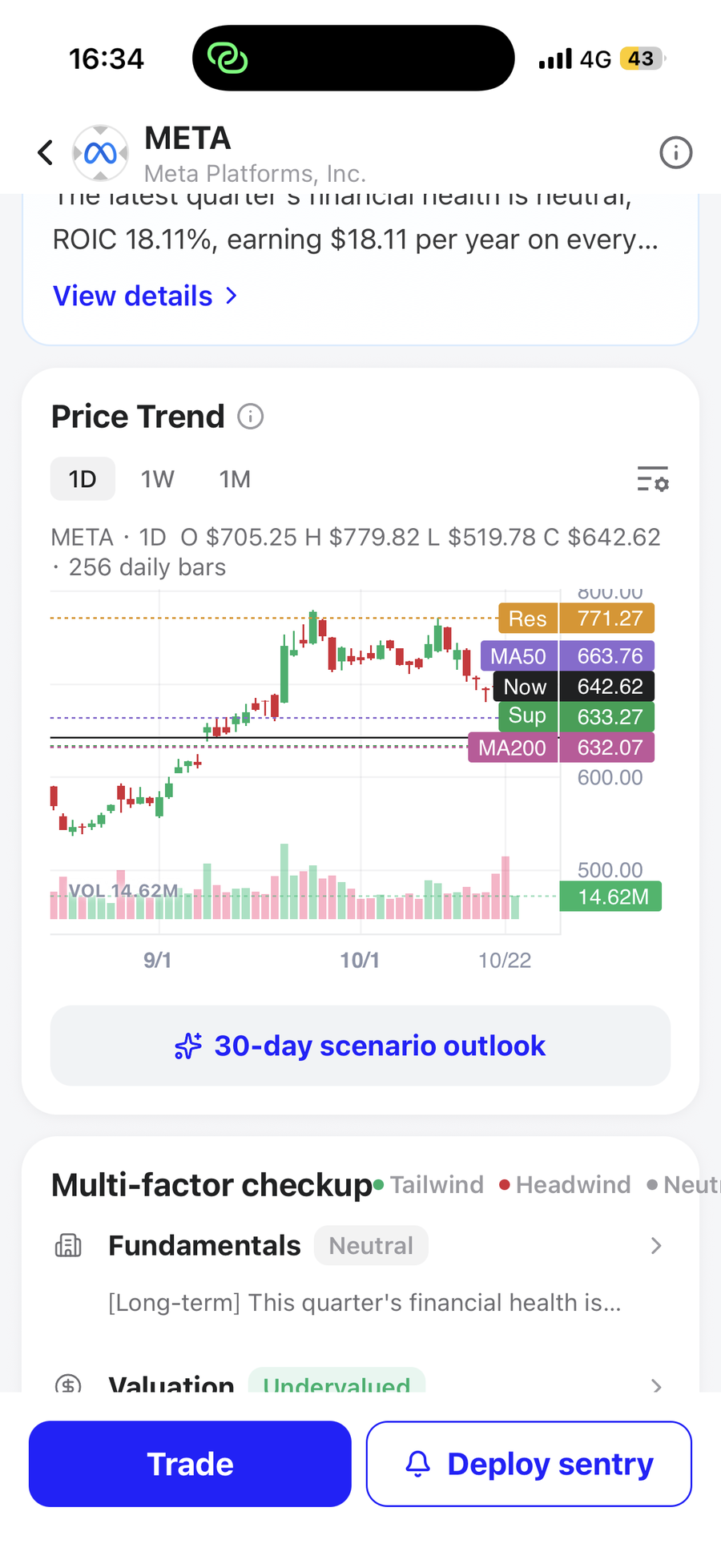
Price action and the 30-day scenario outlook
For prediction markets, read the resolution rules and break-even odds first. For crypto, start with flows, events and the token-level analysis.
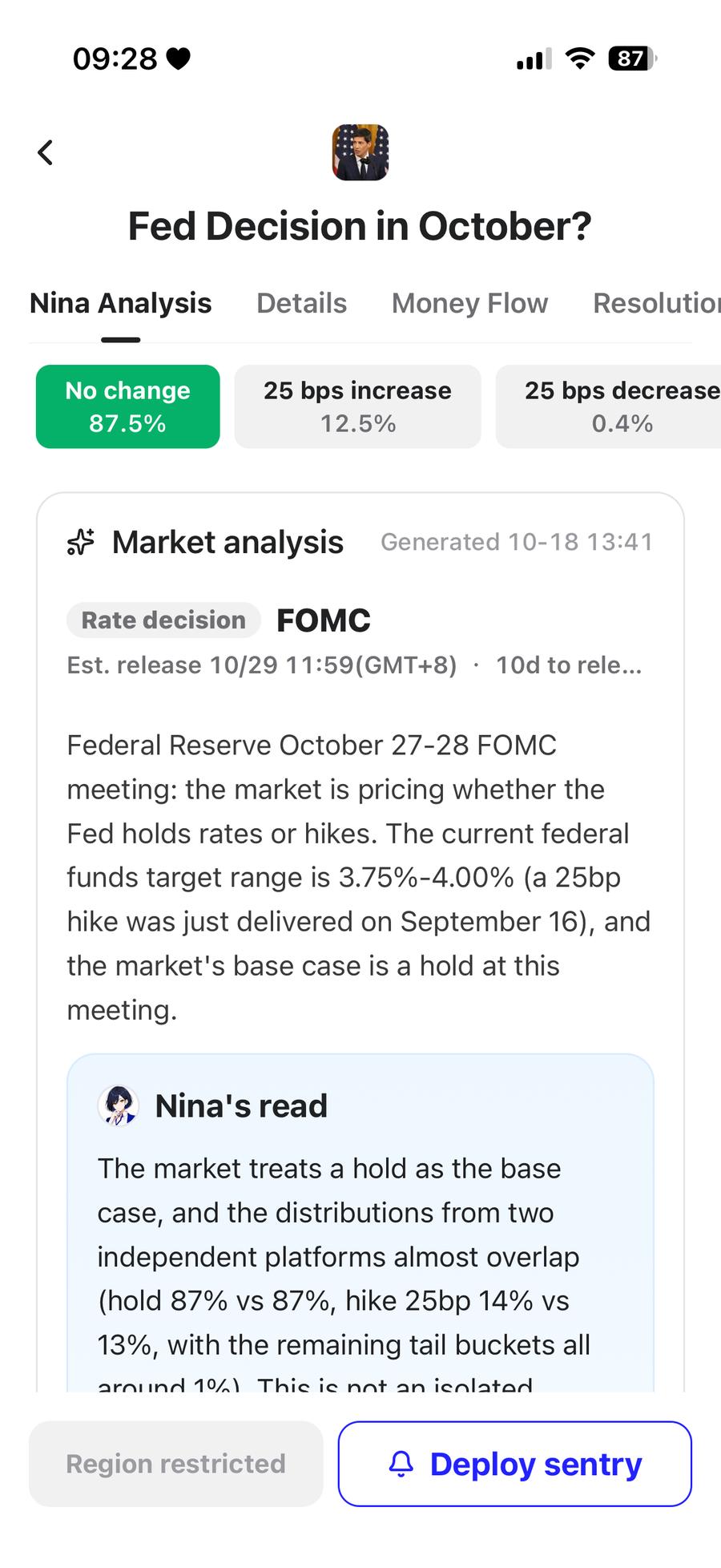
A prediction event under Nina Analysis: each option's probability, and the market analysis behind it
▶ Want to see how Nina reads a stock you follow? Download Nina
Step 3 — Before you order, confirm what you're buying and what it costs
Path: Trade on the stock page, or Perp markets on the US Stocks tab.
The analysis page studies the company and the stock. Once you're on the trade page, check which instrument actually opened. This guide uses a perp order page as the example. A perp is not the same as holding the stock — it involves margin, leverage and funding rates.
Check at least these four before trading:
- Symbol: same name, same instrument type.
- Order book and estimated slippage: how far your fill may move.
- Fees and funding rate: the cost of trading and of holding.
- Leverage and margin mode: your loss if price goes against you, and liquidation risk.
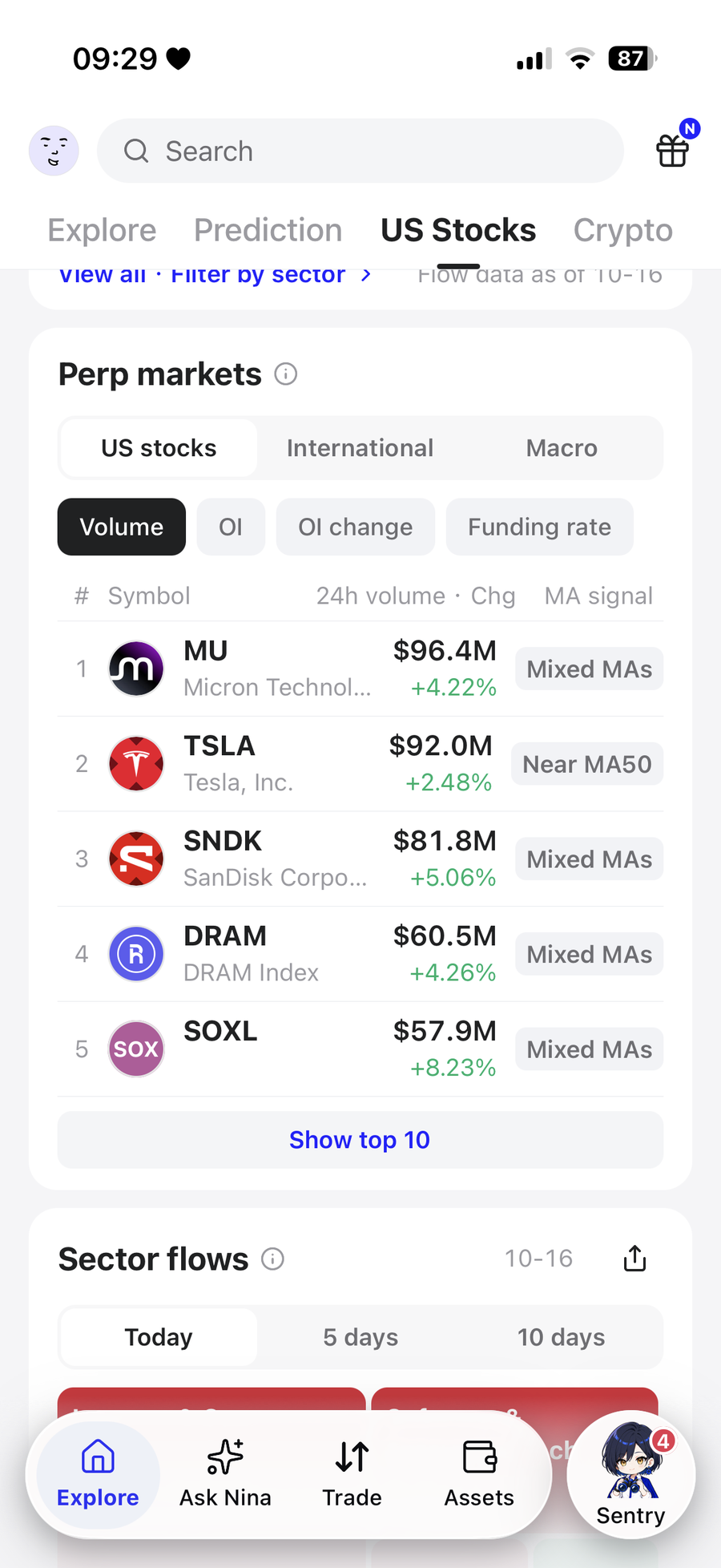
US Stocks tab: Perp markets, sortable by volume, OI, OI change and funding rate
Step 4 — Set up the order
- Confirm the instrument and direction (buy / long, sell / short).
- Pick the order type: market fills immediately; limit sets your acceptable price and may not fill.
- Check margin mode and leverage, then enter an amount or quantity.
- Set take-profit / stop-loss if you want them, and don't leave reduce-only selected when opening a new position.
- Re-read estimated slippage, fees and funding rate, and confirm your available margin covers it.
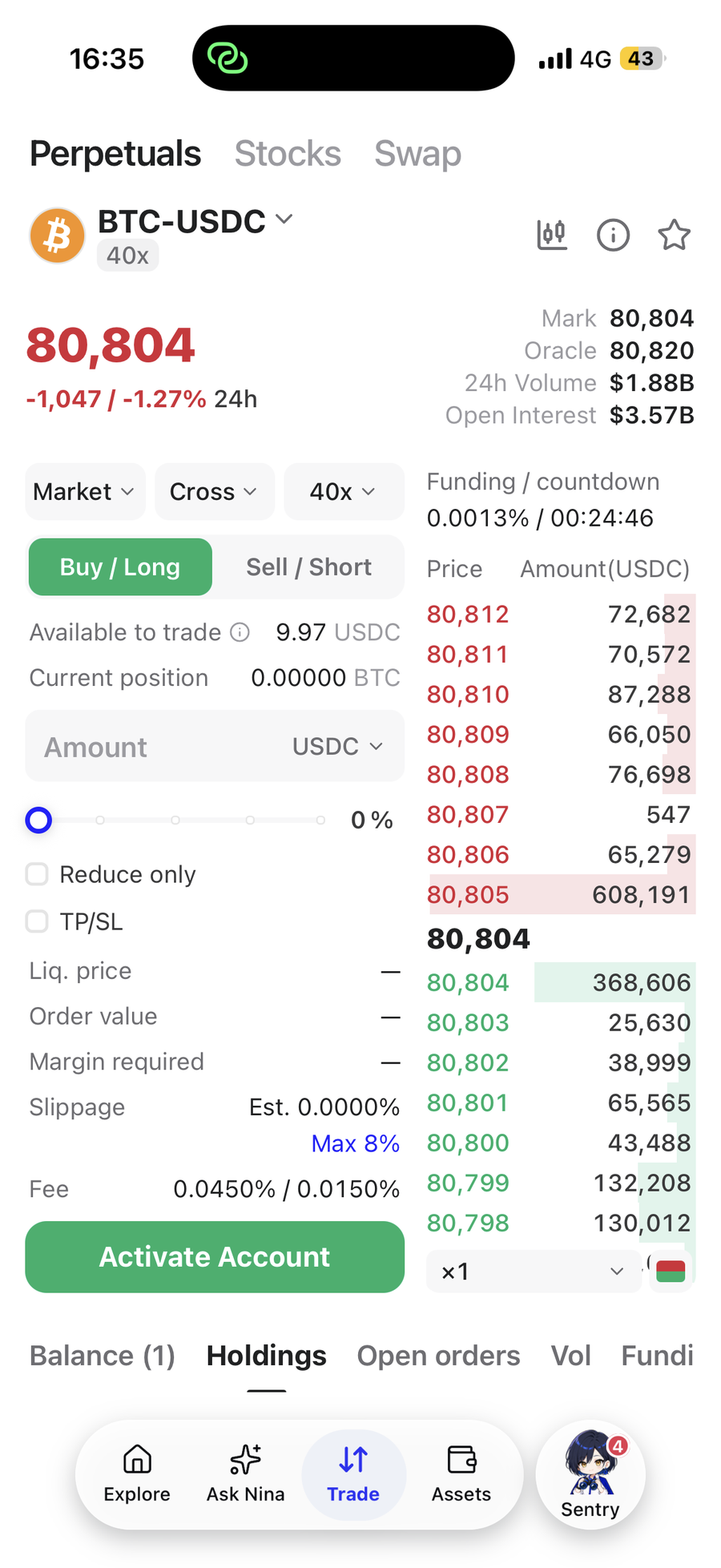
Perp order page (shown with BTC-USDC; tradable balance and position are masked)
Only submit when every line matches your plan. Not ready is fine — skip to step 5 and deploy a sentry instead. Nina never places an order for you; the decision stays yours.
Step 5 — Deploy a sentry and let Nina watch it
On a stock page tap Deploy sentry (for prediction events it's the bell on the card; crypto signals and token pages have it too), then open Sentry at the bottom to confirm what you're tracking.
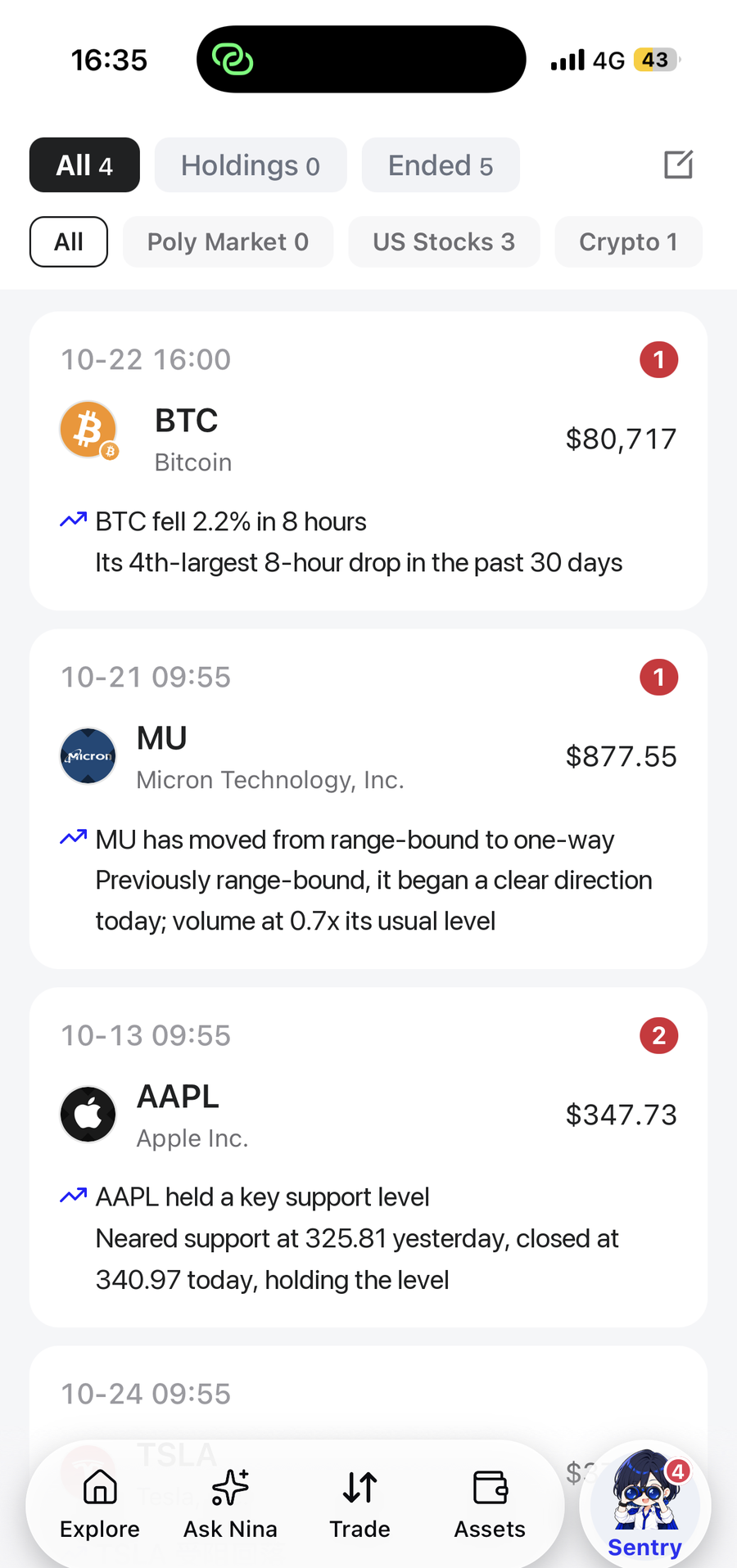
Sentry list: tracked instruments and alerts
Once a sentry is deployed you can stop watching the screen. When something actually moves — a sharp rise or fall, a break of a key level, significant news, or a clear shift in prediction odds — Nina pushes you an alert with the reason attached, so you know what happened the moment you come back.
Frequently asked questions
Can I use Nina without trading?
Yes. Explore, analysis, Ask Nina and Sentry all work on their own. Use it to track markets first and trade when you're ready.
Should I place an order every time something moves?
No. Read the analysis and the cost first. If you can't state your reason for the trade, deploy a sentry and wait for your condition to appear.
If a stock has analysis, does that mean I can buy that stock?
Go by what the trade page actually offers — tokenized stock, perp or something else.
What do I do when the analysis says "cannot determine"?
It means the data is thin, and Nina won't manufacture an answer. Work from what is provided and leave the uncertain part uncertain.
I can't find a button from this guide.
Screens differ by instrument, account state and app version. Go by the interface in front of you.
Download Nina and run your first loop
Markets move every day. Rather than chasing them yourself, let Nina sort them first. Open the app and today's opportunities are already ranked and waiting.
▶ Download Nina (iOS / Android)
Or open the download link directly.
▶ Invite a friend to Nina and earn 100 points (terms as announced in the app).
Nina is an information tool, not a licensed adviser. Nothing in this guide or in the app is personalised investment advice. Prices and probabilities on screen change over time, and markets and leveraged trading carry risk — assess carefully.